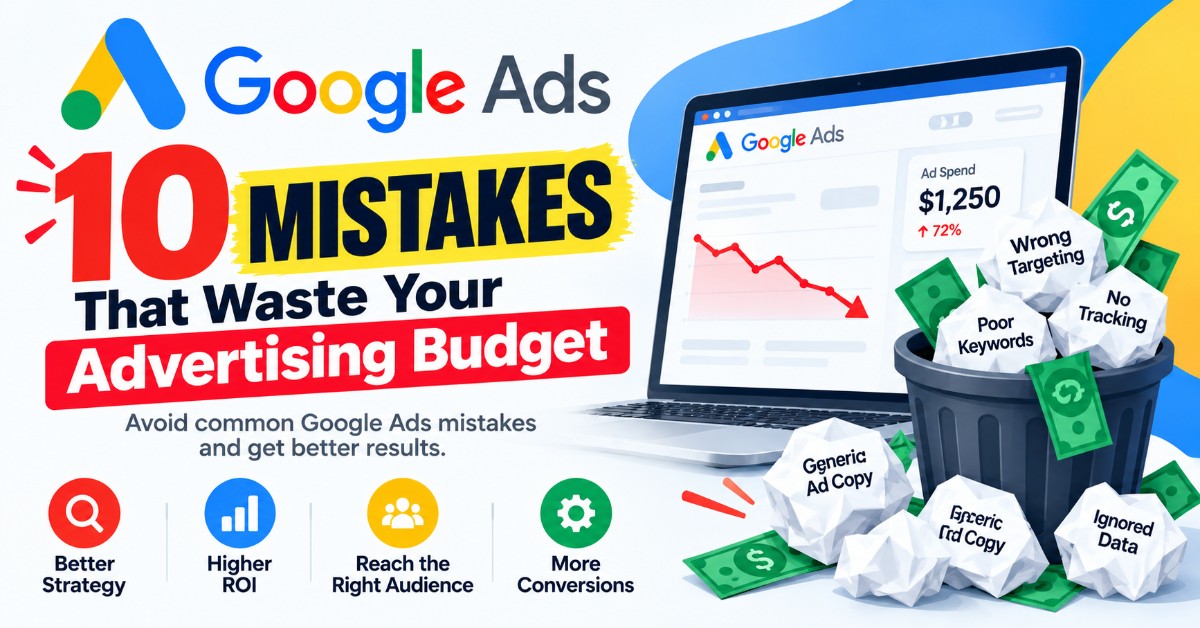
Google Ads can be one of the most effective ways to generate leads for an Australian business — but only when it’s set up and managed correctly. Too often, business owners launch a campaign, watch the budget disappear within days, and walk away convinced that “Google Ads just doesn’t work” for their industry.
In most cases, the platform isn’t the problem. The setup is.
Small, easy-to-miss mistakes compound quickly in a pay-per-click environment. A poorly chosen keyword match type, a missing negative keyword list, or a landing page that doesn’t match the ad can quietly drain hundreds or thousands of dollars a month without ever showing up as an obvious red flag. Below are the ten most common — and most costly — Google Ads mistakes we see, along with what to do instead.
1. Using Broad Match Keywords Without Guardrails
Broad match is designed to show your ad for searches Google considers related to your keyword — not just the keyword itself. Left unchecked, this can mean your ad for “kitchen renovations Melbourne” starts showing up for searches like “kitchen renovation shows on TV” or “cheap kitchen appliances,” neither of which will ever convert into a customer.
Broad match isn’t inherently bad — Google’s algorithm has genuinely improved at matching intent over the years — but it needs guardrails: strong negative keyword lists, tight audience signals, and close monitoring of the search terms report. Running broad match with no oversight is one of the fastest ways to burn through a daily budget on irrelevant clicks.
Fix it: Start new campaigns with phrase match or exact match to control exactly which searches trigger your ads. Once you have solid conversion data, test broad match carefully, and check the search terms report weekly.
2. Ignoring the Search Terms Report
The search terms report shows the actual words and phrases people typed before your ad appeared and they clicked. It is arguably the single most valuable piece of data in the entire account, and it’s astonishing how many campaigns run for months without anyone looking at it.
This report reveals exactly where wasted spend is hiding — irrelevant searches, junk traffic, or completely unrelated queries that broad or phrase match keywords accidentally triggered.
Fix it: Review the search terms report at least weekly for new accounts and monthly for mature ones. Add irrelevant terms as negative keywords immediately, and look for new keyword opportunities hiding in there too — sometimes customers search in phrases you hadn’t thought to target.
3. Skipping Negative Keywords Entirely
Negative keywords tell Google which searches you don’t want your ad to appear for. Without them, you’re often paying for clicks that were never going to convert — job seekers searching “plumbing apprenticeship,” DIY researchers searching “how to fix a tap myself,” or bargain hunters searching “free” anything.
A mortgage broker who doesn’t exclude “government grants” or “centrelink” searches, or a law firm that doesn’t exclude “free legal advice,” can lose a significant share of their budget to clicks that were never real leads.
Fix it: Build a negative keyword list before launch based on obvious irrelevant terms (jobs, free, DIY, cheap, courses), then keep refining it every week using the search terms report. Apply negative keyword lists at the account or campaign level so they apply consistently across every ad group.
4. Sending Traffic to the Homepage Instead of a Landing Page
This is one of the most common — and most expensive — mistakes. A visitor clicks an ad for “emergency electrician Brisbane” and lands on a generic homepage with a slider, five service categories, and no clear call to action. Confused, they leave. Google charged you for that click either way.
Relevance between your ad and your landing page directly affects both your conversion rate and your Quality Score, which in turn affects how much you pay per click. A mismatch between what someone searched for and what they land on is a lose-lose: fewer conversions and higher costs.
Fix it: Build (or request) a dedicated landing page for each major service or campaign, with a headline that mirrors the ad and search intent, a single clear call to action, and no unnecessary navigation distractions pulling visitors away before they enquire.
5. Not Tracking Conversions Properly
If your account can’t tell you exactly how many calls, form submissions, or bookings came from Google Ads, you’re optimising blind. Yet a surprising number of accounts have conversion tracking that’s broken, duplicated, counting the wrong actions, or not set up at all.
Without accurate tracking, Google’s own bidding algorithms — which rely heavily on conversion data to optimise — are working with bad information. This often leads to overspending on keywords or audiences that Google thinks are performing well but actually aren’t.
Fix it: Set up conversion tracking for every meaningful action — form fills, phone calls (including calls from the website, not just the ad extension), bookings, and, where relevant, offline conversions from your CRM. Test each conversion action to confirm it’s firing correctly before trusting the data.
6. Targeting Too Broad a Geographic Area
Location targeting is one of the simplest levers in Google Ads, and one of the most frequently mismanaged. Businesses that only service a 20km radius sometimes run campaigns targeting entire states or even the whole country, either by default settings or a lack of attention during setup.
Even more subtly, Google’s location targeting setting has an option to show ads to “people in, interested in, or who’ve searched for” your target location — meaning someone searching Sydney suburbs from overseas could trigger your ad, even if you only service local customers.
Fix it: Set location targeting to “Presence: People in or regularly in your targeted locations” for local service businesses, and define the exact suburbs, radius, or regions you actually service. Review the locations report periodically to confirm spend is concentrated where your customers actually are.
7. Letting Ad Schedules Run 24/7 With No Adjustment
Unless you have staff answering calls and enquiries around the clock, running ads at 2am with the same bids as your peak business hours is a quiet budget leak. Late-night or off-hours clicks can still cost the same as prime-time clicks, but with a much lower chance of ever converting into an actual booking or sale.
Fix it: Review performance by hour of day and day of week (available in the account under ad schedule reporting), and adjust bids or scheduling accordingly. If your business only operates Monday to Friday, 8am to 5pm, there’s rarely a strong case for spending full budget on Saturday 1am searches.
8. Set-and-Forget Campaign Management
Google Ads is not a “set it up once and let it run” platform. Auction dynamics shift, competitors launch new campaigns, seasonal demand changes, and ad fatigue sets in over time. An account that hasn’t been touched in three months is almost always underperforming compared to where it could be.
This mistake is especially common with businesses that hire an agency or freelancer, get an initial setup, and then never receive ongoing optimisation, reporting, or strategy adjustments.
Fix it: Build in a regular review cadence — weekly checks on spend and search terms, monthly reviews of ad performance and Quality Score, and quarterly strategy reviews to reassess campaign structure, budgets, and goals as the business evolves.
9. Using the Same Generic Ad Copy for Everyone
Generic ad copy — “Quality Service. Call Today. Free Quotes.” — technically works, in that it will get impressions and some clicks. But it does nothing to differentiate your business from the five other ads sitting in the same auction, and it doesn’t speak to the specific intent behind different searches.
Someone searching “same day carpet cleaning” has a different need than someone searching “carpet cleaning cost Melbourne,” yet many accounts show both searchers an identical ad.
Fix it: Write ad copy tailored to specific keyword themes and search intent. Highlight what actually differentiates the business — response time, guarantees, local reputation, specific services — rather than generic claims every competitor also makes. Test multiple headlines and descriptions within each ad group and let the data show which resonates.
10. Focusing on Clicks and Impressions Instead of Cost Per Lead and ROI
It’s easy to get distracted by vanity metrics — impressions, click-through rate, even total clicks — without connecting them back to what actually matters: how many of those clicks turned into real leads, and how many of those leads turned into paying customers.
A campaign with a low cost per click but a poor conversion rate can end up far more expensive, per actual customer, than a campaign with a higher cost per click but strong conversion performance. Businesses that only monitor surface-level metrics often keep funding underperforming campaigns simply because the numbers “look” fine on the surface.
Fix it: Build reporting around cost per lead, lead-to-sale conversion rate, and return on ad spend rather than clicks or impressions alone. Where possible, connect Google Ads data to your CRM or sales records so you can see which campaigns and keywords are actually generating revenue, not just traffic.
Bringing It All Together
Individually, each of these mistakes might only cost a business a few hundred dollars a month. Combined — broad, unchecked keywords; no negative keyword list; generic landing pages; broken tracking; no geographic refinement; static schedules; a set-and-forget approach; generic ad copy; and a focus on the wrong metrics — they can add up to a campaign that quietly burns through most of its budget without ever delivering a reasonable return.
The good news is that none of these issues are difficult to fix once identified. Most come down to attention and process rather than any deep technical complexity: reviewing the right reports regularly, keeping ad copy and landing pages aligned with search intent, and measuring success by leads and revenue rather than clicks alone.
If you manage your own Google Ads account, working through this list is a useful audit in itself — pull up your search terms report, check your negative keyword list, and look at where your ads are actually spending money this month. If you’re not sure where to start, or simply don’t have the time to stay on top of it, that ongoing management is exactly the kind of work a dedicated Google Ads management service is built to handle — catching these issues before they quietly eat into the budget, rather than after.
Leave a Reply